
Tapestry Crochet Pattern Maker
Turn a JPG, PNG or WebP into a counted colorwork grid. Tune the stitch width and palette, then inspect each row before planning your tapestry crochet project.
Image & settings
See how the generator works without uploading a photo. Your image stays on your device.
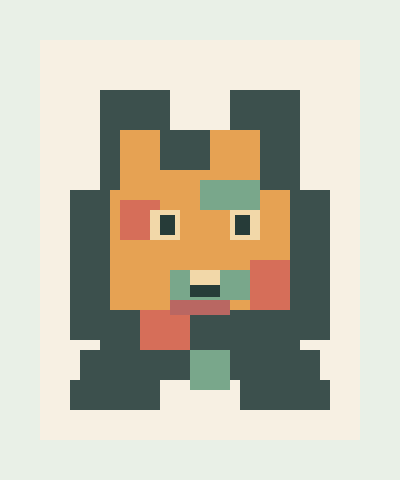
Original image
Generated pattern
Upload an image or try a sample, then choose Generate Pattern.
Select a color and click a chart cell to edit. On the focused chart, use arrow keys to choose a cell and press Enter or Space to paint.
Undo and Redo shortcuts: Ctrl/Cmd+Z to undo; Ctrl/Cmd+Shift+Z or Ctrl/Cmd+Y to redo.
Color chart instructions
These are color-chart steps only, not complete stitch-by-stitch instructions.
Row 1 starts at the bottom. Work flat rows in alternating directions, beginning right to left.
Follow Pattern
Finished size estimate
Enter a measured swatch made with the same yarn, hook and stitch pattern. No size is estimated until all gauge fields are valid.
Gauge required — add all four sample measurements to estimate finished dimensions.
Color cleanup preview
Preview changes before applying them. Small intentional details may also be flagged; inspect the result and restore the generated chart at any time.
Generated pattern
Preview cleanup
Color legend
| Color # | Swatch | HEX | Cell Count | Percentage |
|---|
PDF project details
Optional yarn amounts by color
Enter amounts measured for your own project; the PDF will label them as user-supplied. Leave blank if unknown.
Tapestry row breakdown
Read the graph row by row and use the legend to identify each shade.
Color legend
Sample row breakdown
First 5 rows shown; load the sample to inspect the full chart.
How it works
Choose a JPG, PNG or WebP image. It stays on your device.
Set stitch width, image shape, palette size and chart options.
Inspect the chart, then save a PNG, CSV or printable PDF.
What this tool creates
This tool creates a visual color placement chart and row-by-row color counts from an image processed in your browser. It does not invent yarn-carrying, tension, or complete tapestry crochet instructions; check the chart against your own technique.
Tips for better results
- Choose a bold subject with a simple background to keep color changes readable.
- Use a smaller palette to reduce frequent yarn changes.
- Review each row and plan how you will carry or change colors.
- Check gauge separately before estimating the finished size.
Frequently asked questions
Does this write tapestry crochet instructions?
No. It creates a counted color chart and row color summary; you decide how to carry yarn and work each color change.
Can I change the number of colors?
Yes. Choose a palette size and preview the resulting grid before downloading.
Does my source photo upload?
No. Image sampling and color reduction run locally in your browser.