
Crochet Graph Generator
Turn a photo into a stitch-by-stitch color graph for graphghan planning.
Image & settings
See how the generator works without uploading a photo. Your image stays on your device.
Original image
Generated pattern
Upload an image or try a sample, then choose Generate Pattern.
Select a color and click a chart cell to edit. On the focused chart, use arrow keys to choose a cell and press Enter or Space to paint.
Undo and Redo shortcuts: Ctrl/Cmd+Z to undo; Ctrl/Cmd+Shift+Z or Ctrl/Cmd+Y to redo.
Color chart instructions
These are color-chart steps only, not complete stitch-by-stitch instructions.
Row 1 starts at the bottom. Work flat rows in alternating directions, beginning right to left.
Follow Pattern
Finished size estimate
Enter a measured swatch made with the same yarn, hook and stitch pattern. No size is estimated until all gauge fields are valid.
Gauge required — add all four sample measurements to estimate finished dimensions.
Color cleanup preview
Preview changes before applying them. Small intentional details may also be flagged; inspect the result and restore the generated chart at any time.
Generated pattern
Preview cleanup
Color legend
| Color # | Swatch | HEX | Cell Count | Percentage |
|---|
PDF project details
Optional yarn amounts by color
Enter amounts measured for your own project; the PDF will label them as user-supplied. Leave blank if unknown.
Graph reading example
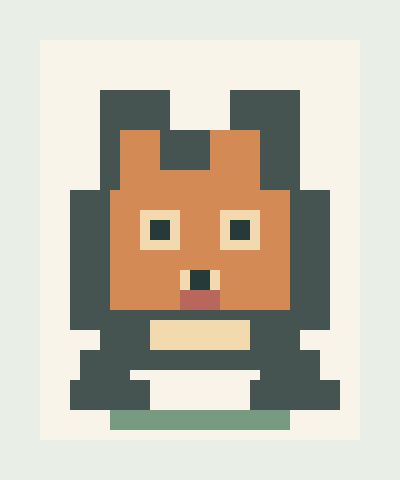
Each cell represents one stitch position. Rows run across the chart; this visual graph does not provide C2C or shaping instructions.
Color legend
How it works
Choose a JPG, PNG or WebP image. It stays on your device.
Set stitch width, image shape, palette size and chart options.
Inspect the chart, then save a PNG, CSV or printable PDF.
Read a graph as stitch positions
Each cell represents one stitch position. The summary shows stitch width and chart row count; the grid is displayed from top to bottom.
Estimate the finished size
Use a gauge swatch to turn stitches and rows into real dimensions. This visual chart does not include C2C, shaping or garment construction instructions.
What this tool creates
The crochet graph maker creates a visual stitch grid and color counts. It does not automatically create shaping or garment construction instructions.
Tips for better results
- Begin with a centered subject and limited background.
- A 50-stitch graph is a useful starting point.
- Increase width for detailed graphghan motifs.
- Compare the symbol view before printing.
Frequently asked questions
Can I use this for a graphghan?
Yes. The exported grid can guide color placement in a graphghan.
Are rows numbered?
The export includes chart dimensions; each cell represents one stitch position.
Does it generate written rows?
No. It creates a visual stitch grid rather than written row instructions.
Can I change the graph colors?
Yes. Select a color count and optionally use grayscale.